 XR Industrial
Industrial XR // Field-Ready Systems
The plant, with its data switched on.
In work environments, closing the physical–digital gap means safer operations, faster training, and fewer errors. These are the systems that do it.
Module // Twin
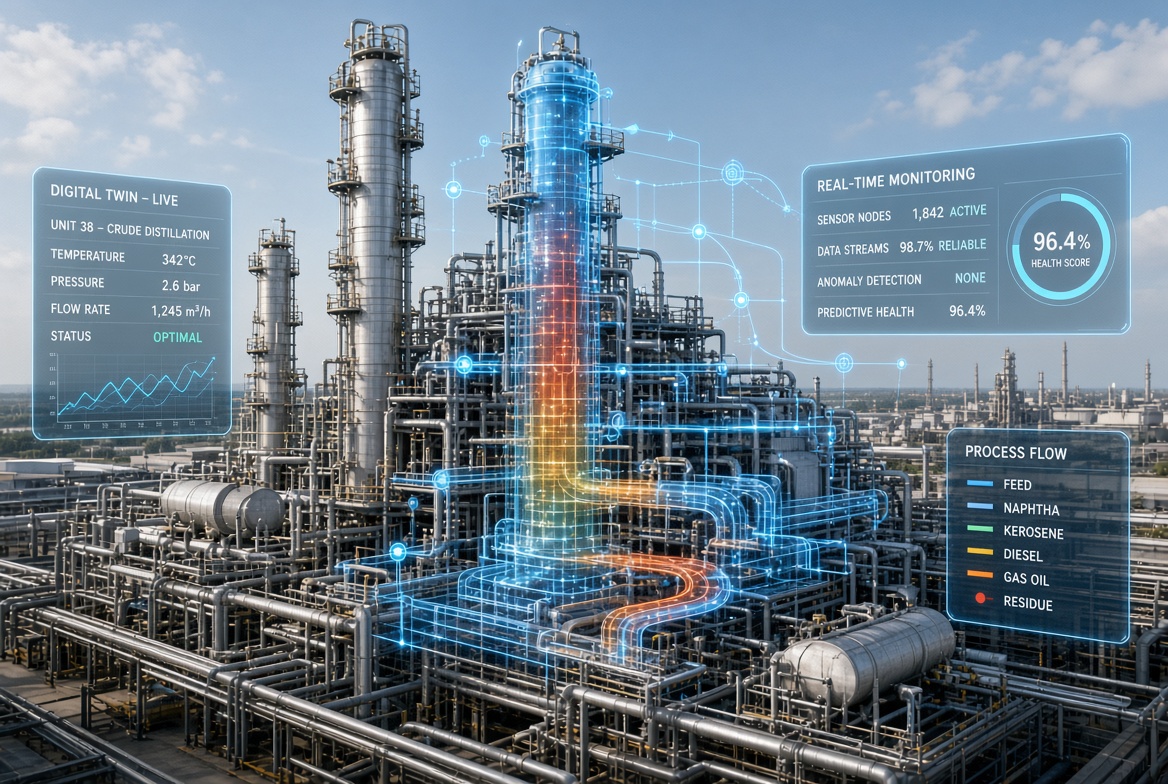
Digital Unit Twin
An elevated view of a process unit with a translucent, interactive digital twin layered over the real equipment. The unit and its data become one picture: process flow traced through the actual pipework, health and monitoring readouts anchored to the hardware they describe.
- Live process values — temperature, pressure, flow — in spatial context
- Interactive overlay: select equipment to inspect its state
- Real-time monitoring and anomaly visibility at a glance
- A shared picture for operations, maintenance, and training
Module // Guide
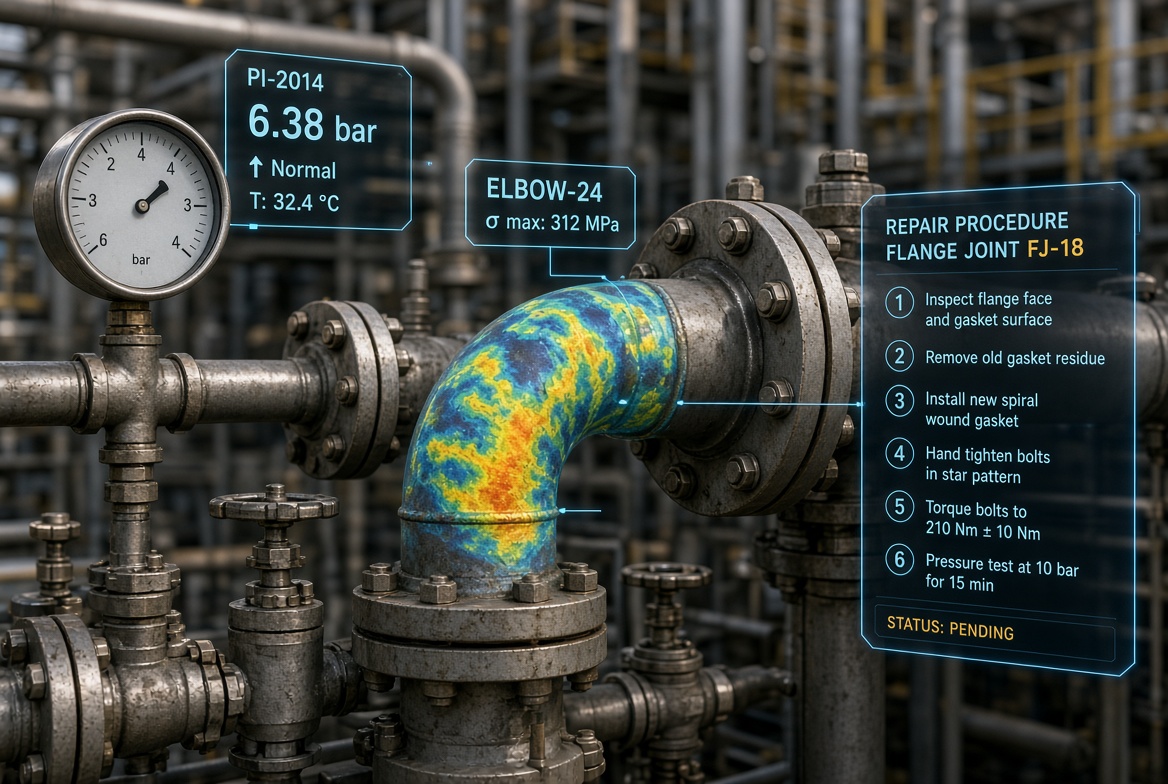
Guided Maintenance Overlay
AR instructions and live readings aligned directly with specific flanges, valves, and stress points. The procedure isn't in a binder or on a tablet across the deck — it's on the joint being repaired, step by step, with the readings that matter floating beside it.
- Step-by-step repair procedures anchored to the exact component
- Live instrument readings in the technician's field of view
- Stress and condition visualization on the equipment itself
- Consistent execution — the same guidance for every technician
Module // Find
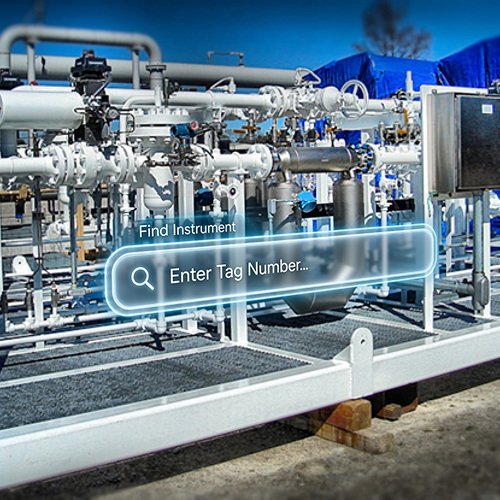
Floating Instrument Search
A floating search bar lets the technician simply search for a specific instrument instead of navigating a P&ID. Type the tag number, and the plant answers — turning minutes of drawing-tracing into seconds of wayfinding.
- Search by tag number, right at the skid
- No more tracing lines through P&ID sheets in the field
- Faster orientation for new technicians and contractors
- Less time locating, more time doing
FAQ
Industrial XR, answered.
What is a digital unit twin?
A translucent, interactive 3D model of a process unit layered directly over the real equipment in augmented reality. Instead of reading data on a distant screen, operators see live process flow and equipment state aligned with the physical unit in front of them.
What is a guided maintenance overlay?
AR work instructions and live readings placed directly on the equipment being serviced — step-by-step procedures, torque specs, and status indicators aligned with the specific flanges, valves, and stress points they refer to.
How does floating instrument search help technicians?
Instead of tracing lines through a P&ID drawing to locate an instrument, a technician enters a tag number into a floating AR search bar and is guided to the physical instrument on the unit. Document navigation becomes direct wayfinding.
Why use extended reality in industrial operations?
XR puts information where the work happens. When live data and procedures are aligned with the physical equipment, operations get safer, training gets faster, and errors get fewer — because people see, understand, and act with greater clarity and precision.
Start a Project
Bring the digital layer to your unit.
Tell us what your teams maintain, monitor, and search for — we'll show you what it looks like in XR.
Get in Touch